
CRM vs ERP: What Does Your Small Business Actually Need?
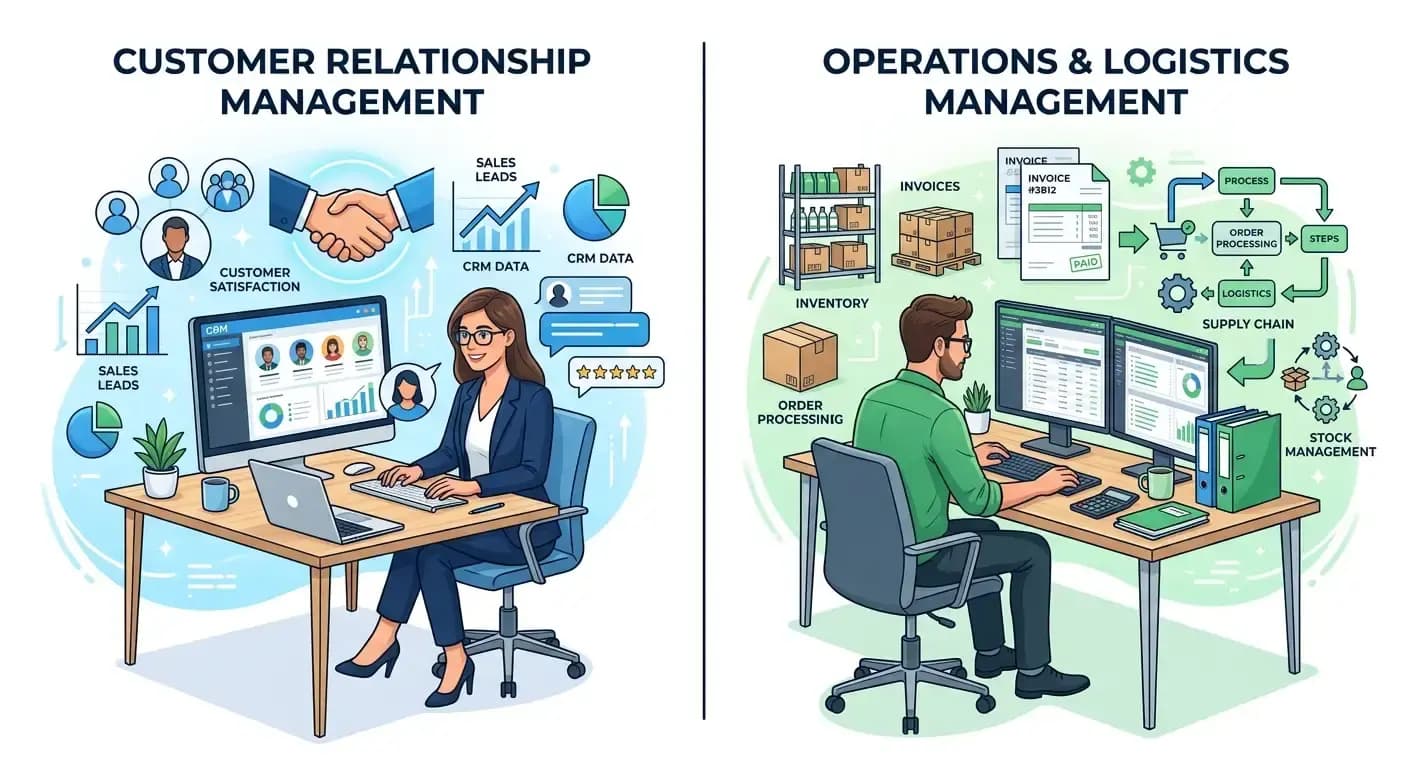
You've probably heard the acronyms CRM and ERP thrown around in business circles. Maybe someone told you that you "need" one of these systems to take your business to the next level. But here's the thing — most explanations about CRM vs ERP sound like they were written by software salespeople, not business owners who actually have to make these decisions.
Let's cut through the jargon and talk about what these systems actually do, which one might be right for your business, and how to avoid spending money on features you'll never use.
What is a CRM and What Does It Actually Do?
CRM stands for Customer Relationship Management, but that name makes it sound more complicated than it is. Think of a CRM as your business's memory about customers and prospects.
Instead of keeping customer information scattered across sticky notes, spreadsheets, and your team's heads, a CRM puts everything in one place. It tracks who your customers are, what they've bought, when you last talked to them, and what they might need next.
Core CRM Functions
Contact Management: Store customer details, communication history, and preferences
Sales Pipeline: Track deals from first contact to closed sale
Task Management: Set reminders for follow-ups and important dates
Communication Tracking: Log emails, calls, and meetings in one place
Reporting: See which marketing efforts work and which salespeople perform best
A CRM shines when your business revolves around building relationships and managing sales processes. If you have a sales team, deal with repeat customers, or need to nurture leads over time, a CRM can transform how you work.
What is an ERP and Why Do Businesses Use Them?
ERP stands for Enterprise Resource Planning — another intimidating name for something that's actually straightforward. An ERP is like mission control for your entire business operation.
While a CRM focuses on customers and sales, an ERP manages everything else: inventory, finances, purchasing, production, and more. It's the system that makes sure you have enough products to sell, that invoices get sent, and that you know whether you're making money.
Core ERP Functions
Inventory Management: Track what you have, what you need, and where it's located
Financial Management: Handle accounting, invoicing, and financial reporting
Order Processing: Manage orders from receipt to fulfillment
Supply Chain Management: Coordinate with suppliers and manage purchasing
Production Planning: Schedule manufacturing and track resources
Human Resources: Manage employee records, payroll, and scheduling
ERPs work best for businesses with complex operations — companies that manufacture products, manage large inventories, or have intricate supply chains. If you're constantly juggling multiple systems and struggling to get a clear picture of your operations, an ERP might be the answer.
The Key Differences That Actually Matter
Here's where most articles get bogged down in technical details. Instead, let's focus on the practical differences that will impact your daily business operations.
Primary Purpose
CRM: Grows your revenue by helping you sell more to existing customers and convert more prospects into customers.
ERP: Improves your operations by reducing costs, eliminating waste, and giving you better control over your business processes.
Who Uses It Daily
CRM: Primarily your sales and marketing teams, plus anyone who deals directly with customers.
ERP: Nearly everyone in your organization — from accounting to warehouse staff to management.
Implementation Complexity
CRM: Generally faster to implement. You can often get a basic CRM running in a few weeks.
ERP: More complex implementation that can take months. Requires careful planning and often significant changes to existing processes.
Cost Considerations
CRM: Typically less expensive, with many options starting under $50 per user per month.
ERP: Higher upfront costs and ongoing expenses, but potentially greater long-term cost savings through operational efficiency.
How to Know Which One Your Business Actually Needs
Forget the feature lists and vendor demos for a moment. The right choice depends on where your business is struggling most right now.
You Probably Need a CRM If:
Your sales team loses track of leads or forgets to follow up
Customer information is scattered across different systems and people
You can't easily see which marketing efforts are working
Your sales process is inconsistent across team members
You're losing customers because communication falls through the cracks
You want to grow by selling more to existing customers
You Probably Need an ERP If:
You're constantly running out of inventory or overstocking
Financial reporting takes forever and you're never sure if the numbers are right
You're using multiple disconnected systems that don't talk to each other
Order processing is slow and error-prone
You can't easily track costs and profitability by product or customer
Your business processes are becoming too complex for spreadsheets and manual tracking
You Might Need Both If:
Some businesses benefit from both systems, but this usually makes sense only after you've grown to a certain size. If you have both complex operations and a significant sales organization, integrated CRM and ERP systems can work together to give you complete visibility into your business.
However, resist the urge to implement both at once. Start with whichever system addresses your biggest pain point, get that working well, then consider adding the other.
Making the Right Choice for Your Business
The best system is the one your team will actually use. Here's how to make a decision that sticks:
Start with Your Biggest Problem
List your top three business challenges right now. Are they related to customer relationships and sales, or operational efficiency and control? Your biggest problems should drive your software choice.
Consider Your Team's Capabilities
Be honest about your team's technical skills and capacity for change. A powerful system that sits unused is worse than a simple system that everyone adopts.
Plan for Growth, But Don't Overbuy
Choose a system that can grow with you, but don't pay for enterprise features you won't need for years. You can always upgrade or switch later as your needs evolve.
Test Before You Commit
Most reputable vendors offer free trials. Use them. Get your team involved in testing to make sure the system fits how you actually work, not how you think you should work.
The truth is, both CRM and ERP systems can transform small businesses — but only if you choose the right one for your specific situation and implement it thoughtfully. Don't let vendor sales pitches or feature envy drive your decision. Focus on solving real problems for real people in your business.
The best software investment is the one that makes your team more effective at what they're already trying to do. Whether that's a CRM, an ERP, or a custom solution that bridges both worlds, the key is matching the tool to your actual needs.
If you're still weighing your options or wondering how these systems might fit your specific business, we'd be happy to discuss your situation. Sometimes the best solution isn't off-the-shelf software at all, but a custom system designed around how your business actually works.